This post is part of our Feature Spotlight series, where we break down TalentPrism features that staffing teams use every day: what the feature does, how it works, and why it matters for your business.
You found the right welder. He’s available, the rate works, and the client wants to see someone today. Then the submittal starts.
You copy his resume into your template. You delete his cell number and email, because the hiring manager should call you, not him. You fix the layout he built on his phone. And for half your clients you start over, because they want it on their own contract-labor form.
None of that is recruiting. It’s retyping, and it lands at the exact moment speed matters most. So we built TalentPrism to do it.
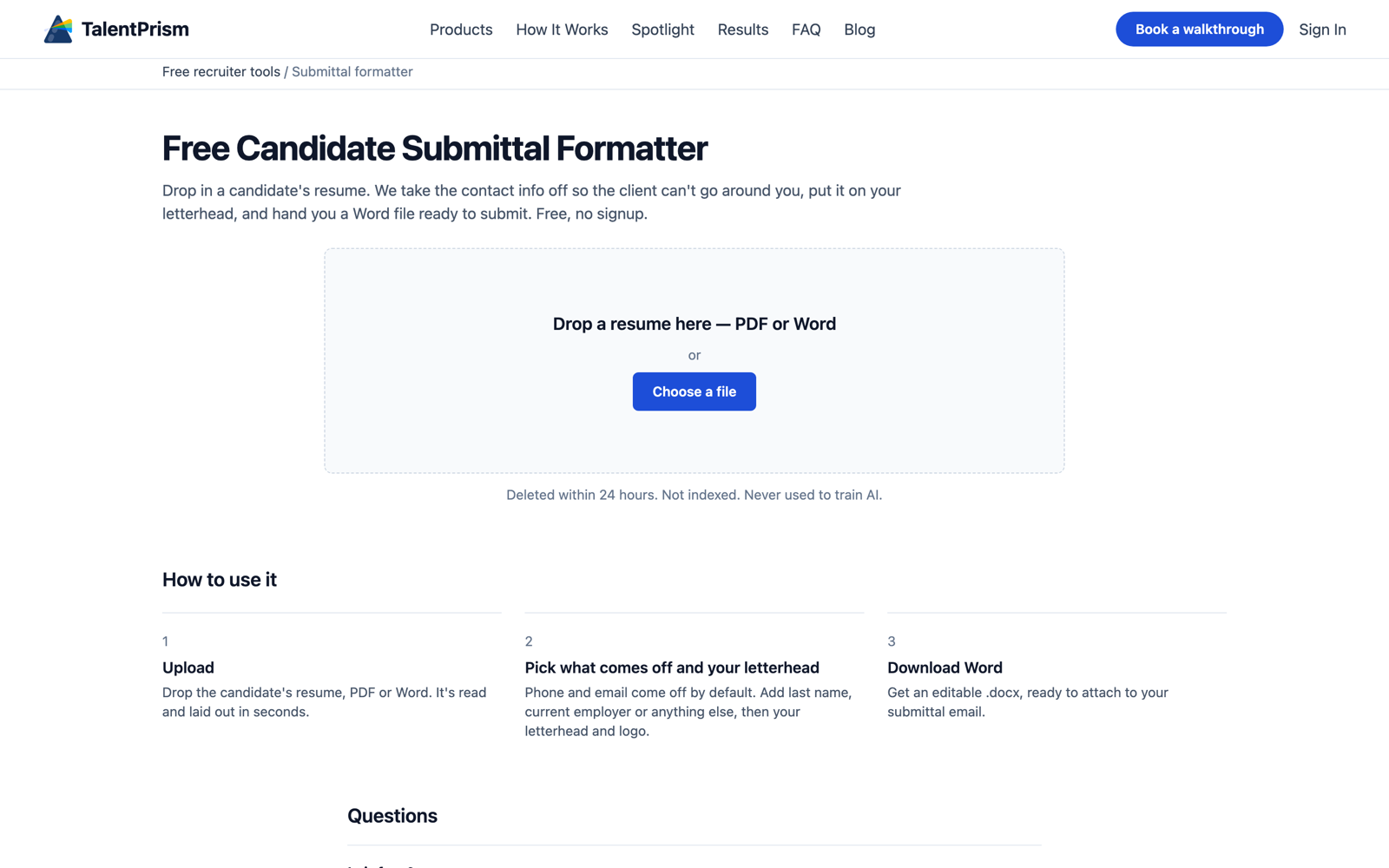
Try the free Candidate Submittal Formatter →
What it does
Takes the contact info off, so the client calls you
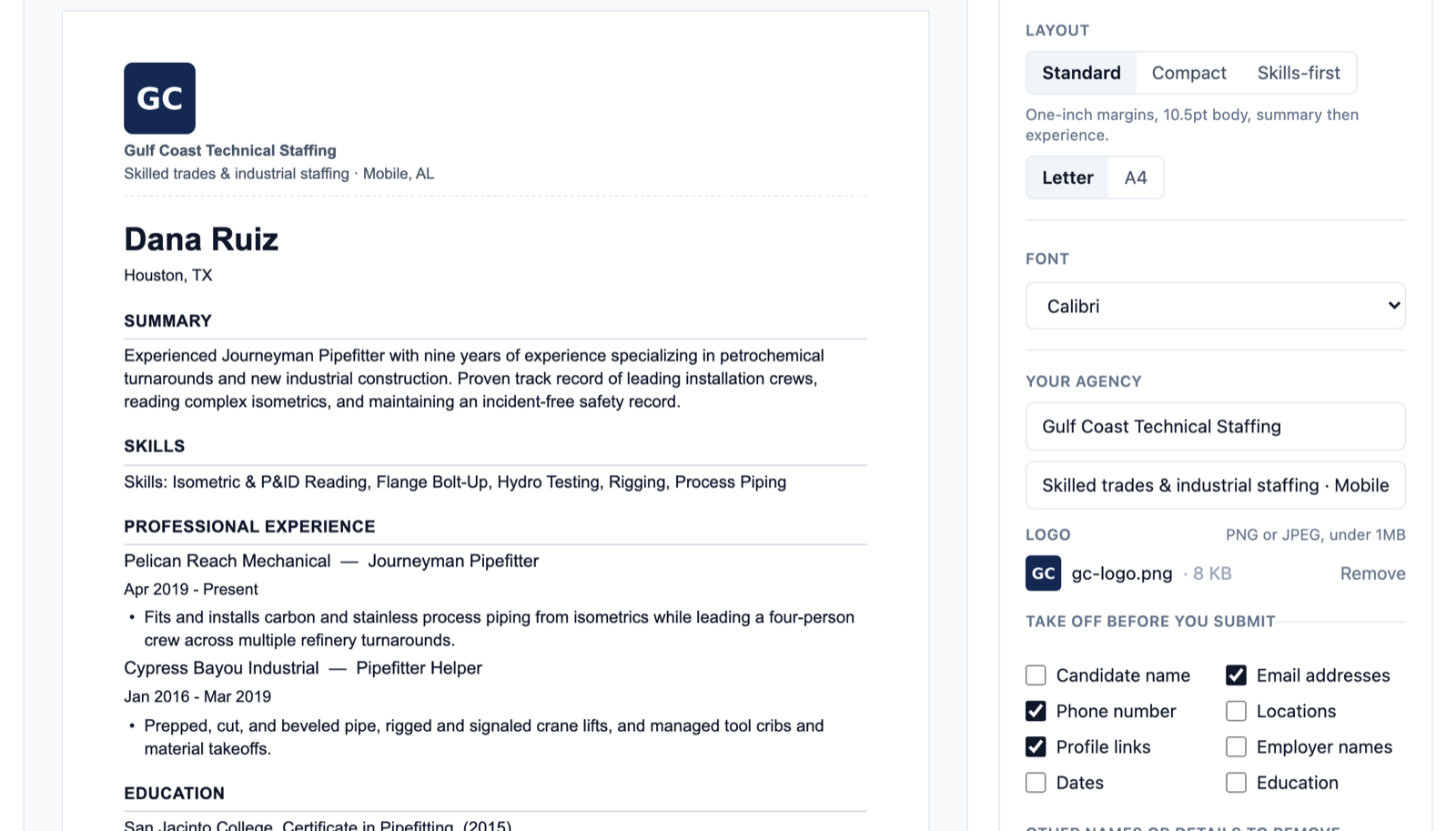
Drop in a PDF or Word resume. Phone numbers, email addresses and profile links come off by default. They’re taken out of the file itself, not covered with a box that a client can click away.
When a client wants a blind copy, tick the candidate’s name, employers, dates or locations as well, or type any other word you want gone, like a nickname or a former employer’s project name.
Puts it on your letterhead, on every page
Your logo and agency line go in the Word header, so they repeat on page two and three. Turn on the footer and every page also says “Presented by” your agency and “Confidential”, with page numbers. Set it up once and make it your team’s default.
Matches each client’s own submittal form
Some clients send you a Word template and expect every submittal on it. Upload one of their forms and save it as a template. TalentPrism keeps their header, footer, logo, fonts and page setup, reads their section headings, and pours the candidate in. The sample candidate on their form never carries over.
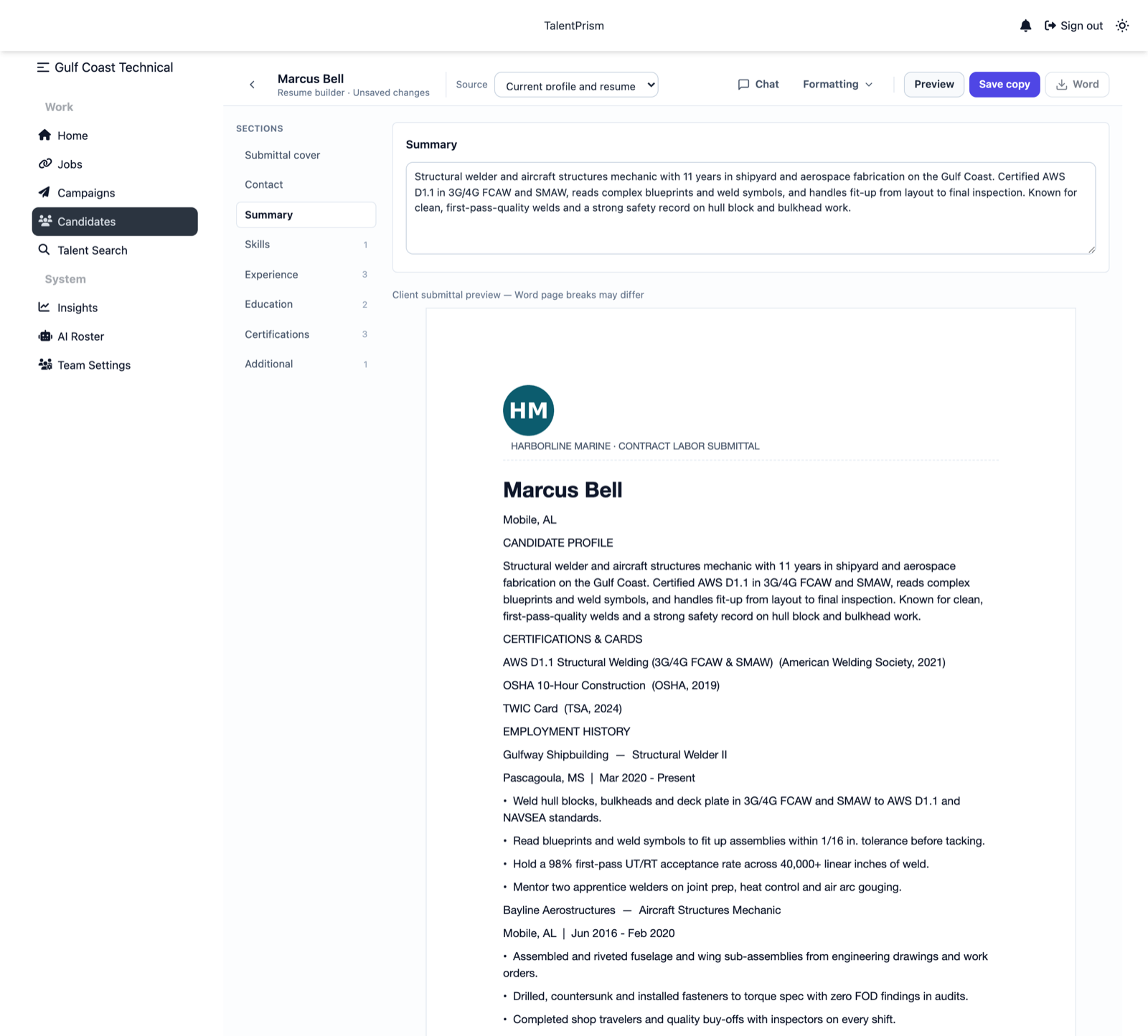
Puts the facts that decide the call at the top
Hiring managers in the trades look for the same few things before they read a work history: when can he start, what does he cost, is his TWIC or clearance current, can he work here. The optional submittal cover puts availability, pay or bill rate, clearance, work authorization and your note in a short block at the top of page one.
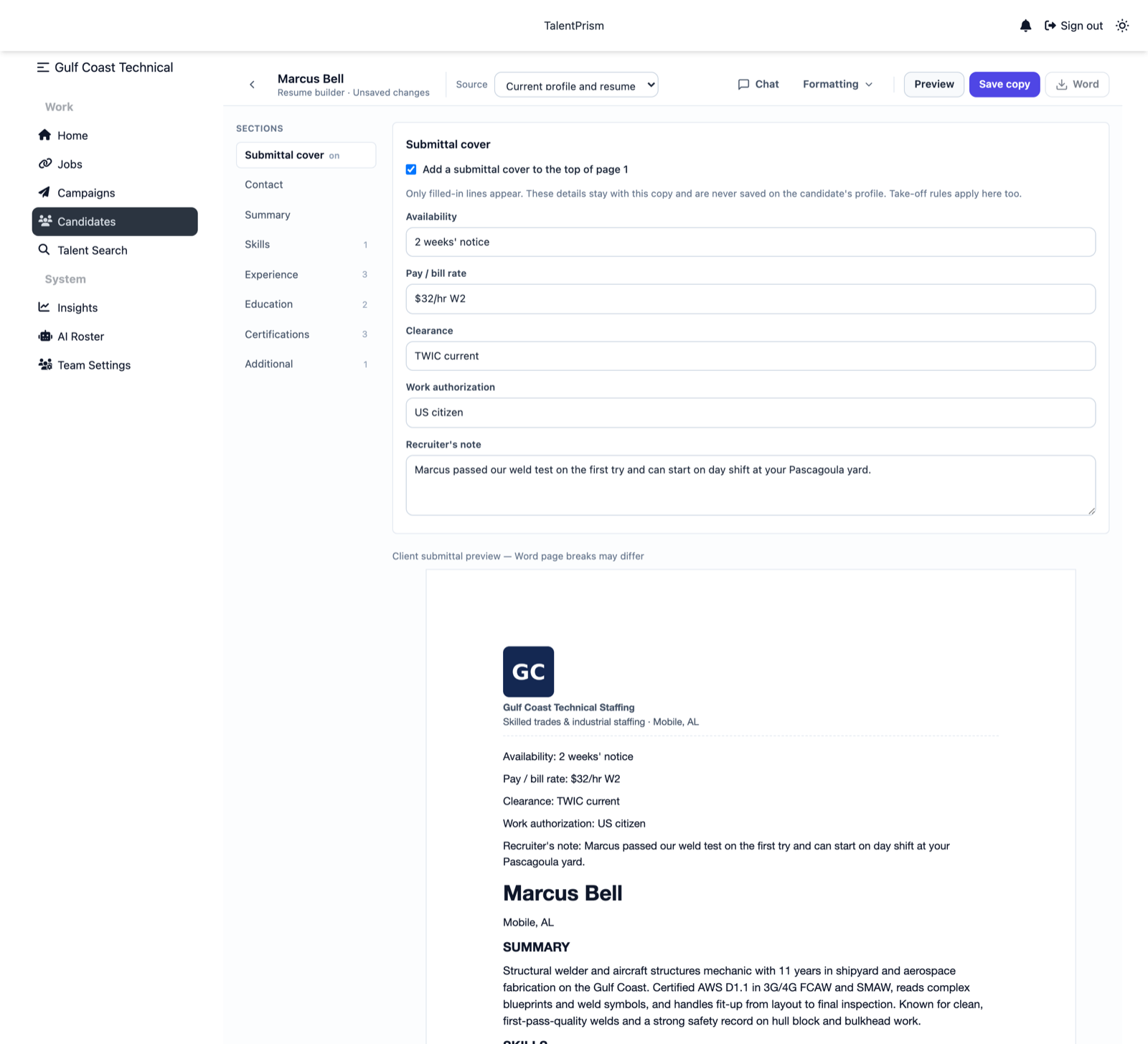
Edits in plain English, and nothing changes until you approve it
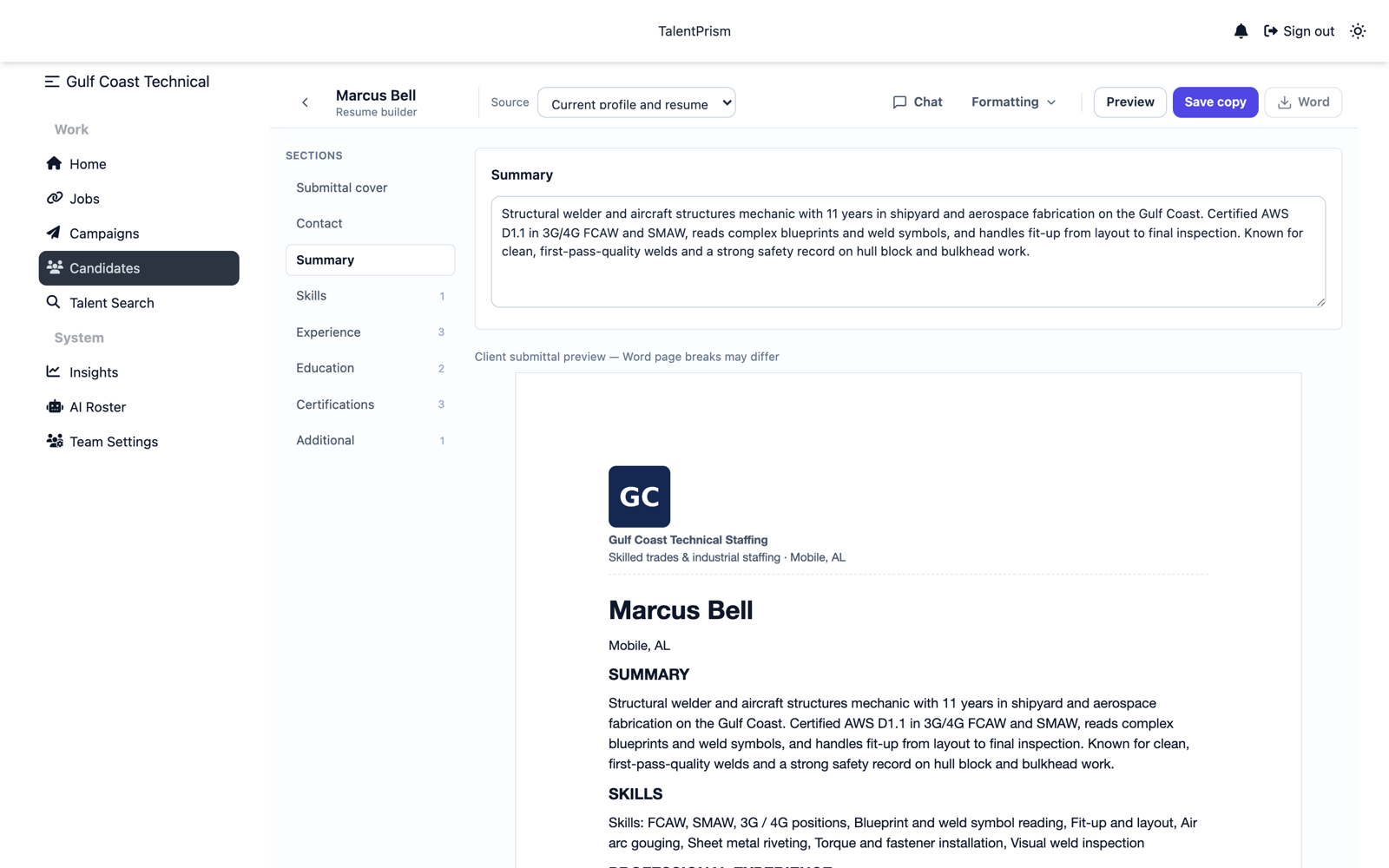
Inside TalentPrism, open the chat beside the resume and ask for what you’d ask a coordinator: “tighten the summary for this client” or “lead with the pipe welding”. It shows the before and after for each section. Click Apply to take it, or Keep current to leave it. It never saves or sends anything by itself.
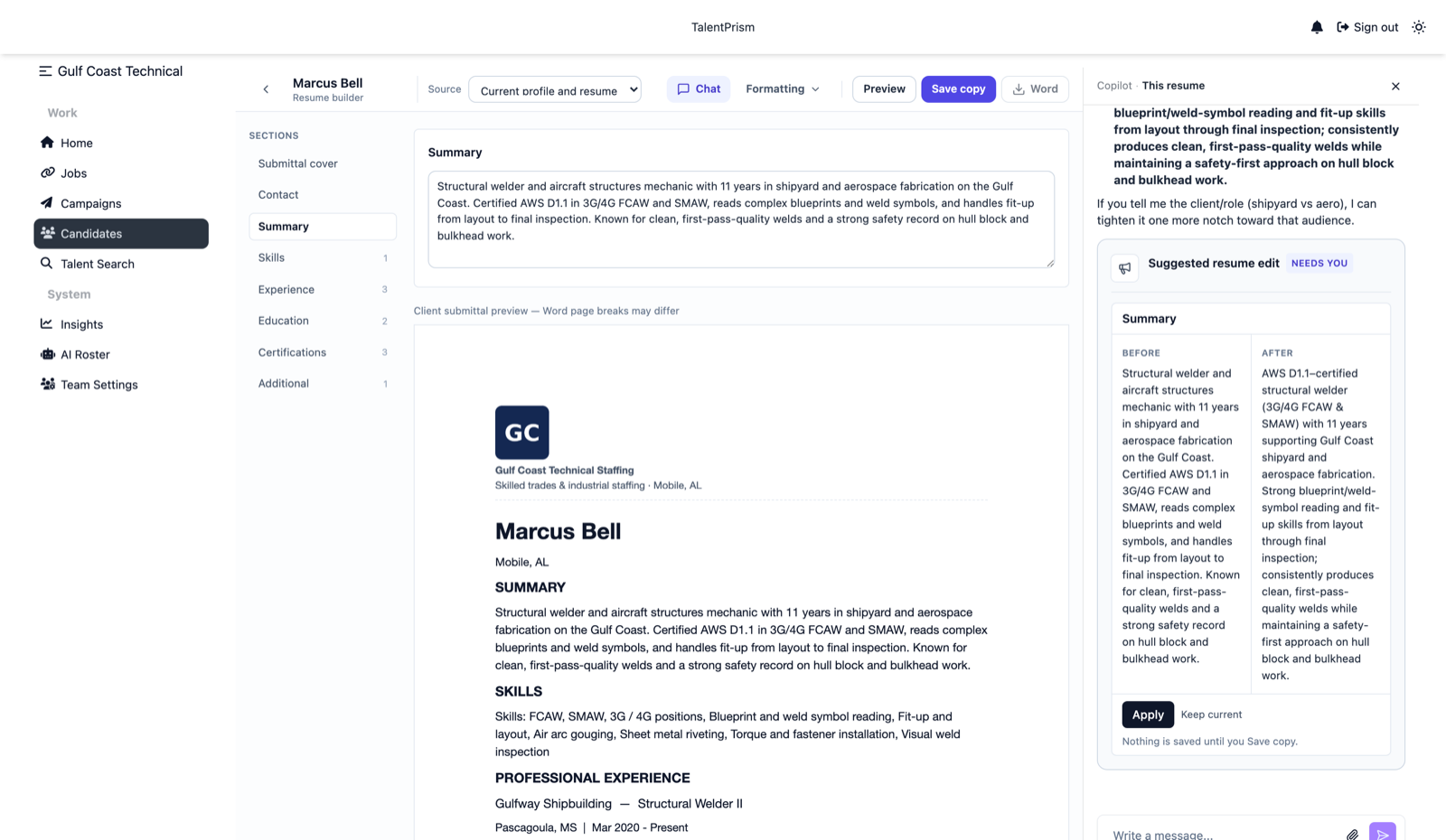
Gives you a Word file, not an image
Every copy downloads as an editable .docx. If a client asks for a last-minute change, you make it in Word. Inside TalentPrism each copy is saved against the candidate with a version number, so next month’s submittal starts from the last one, and the candidate’s original resume is never changed.
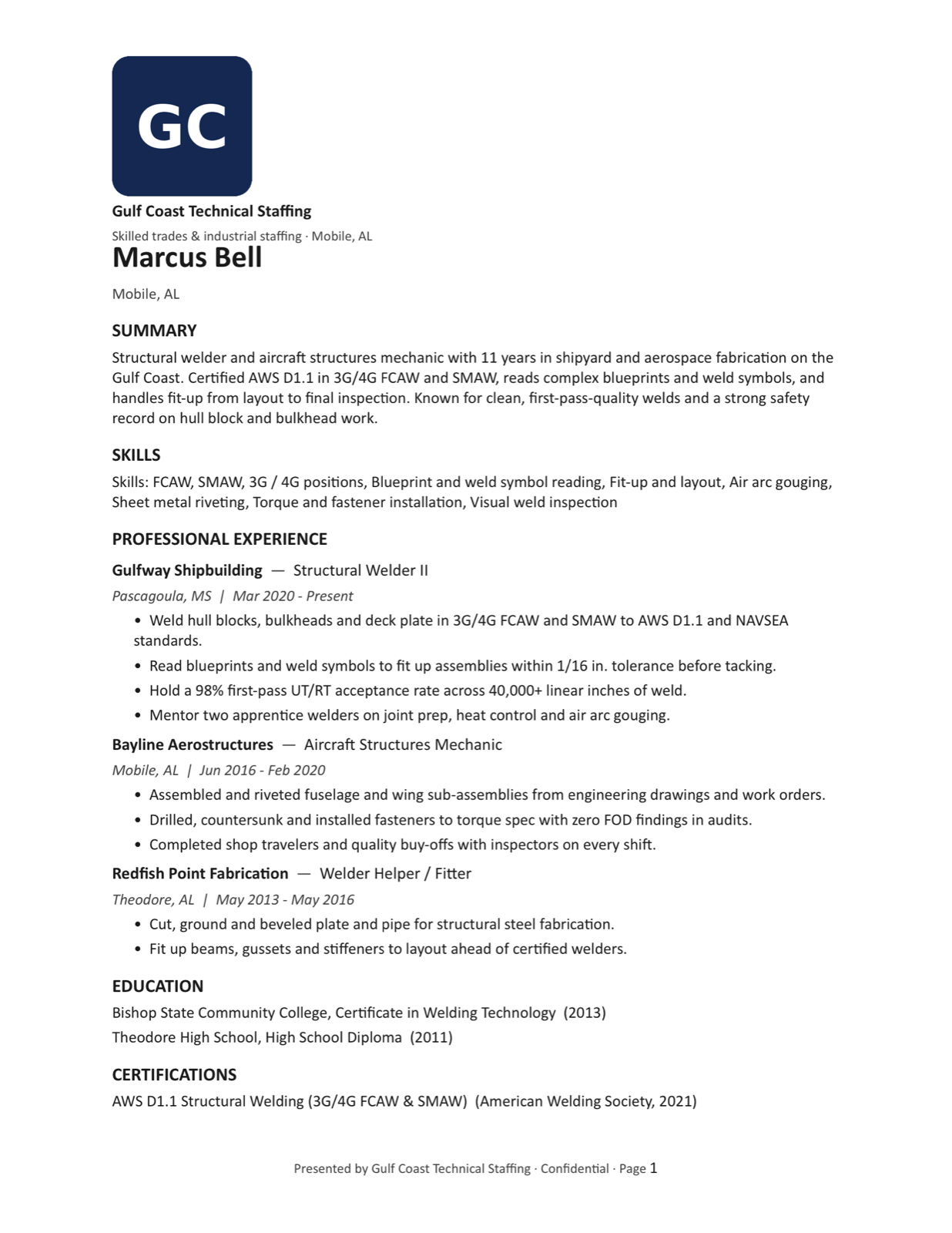
Two ways to use it
The free tool, for any resume. The Candidate Submittal Formatter is free and needs no signup. Drop in a resume, choose what comes off, add your agency name and letterhead, and download the Word file. Uploads are deleted within 24 hours and are never used to train AI.
Inside TalentPrism, for your whole desk. Open any candidate and click Open resume builder. That’s where client formats, team letterheads, the submittal cover, chat edits and saved versions live, next to everything else TalentPrism has learned about the candidate.
How to format a candidate submittal
Whether you use our tool or your own template, this is the order that works for trades and industrial roles:
- Keep the original. Work on a copy so the candidate’s resume stays as they sent it.
- Lead with what decides the call. Availability, rate, clearance or TWIC, and work authorization at the top, then a two-line summary written for this job.
- Name the trade work exactly. Processes, positions, machines and materials the candidate has actually used, such as FCAW and SMAW in 3G and 4G, or Mazak and Haas CNC setup. Don’t add a certification you haven’t confirmed.
- Take off what the client shouldn’t have yet. Phone, email, links, and anything else your agreement covers. Check headers and footers too.
- Use the client’s format when they have one. It’s the fastest way to get read.
- Open the actual file before you send it. A download isn’t a submittal until a recruiter has read it.
Common questions
Is it free?
The public formatter is free, with no signup and no card. Client formats, team templates, the submittal cover and chat edits are part of TalentPrism.
Why take the contact info off a submittal?
So the hiring manager calls you, not the candidate. It keeps the placement yours and stops a client hiring around your fee.
Can it use my client’s submittal template?
Yes, inside TalentPrism. Upload a Word copy of the client’s form and save it as a template. Multi-column layouts and tables in the body come out as a single column in the client’s styles; their header, footer and logo are kept as they are.
Can I download a PDF?
You get an editable Word file. If a client wants a PDF, save it as PDF from Word after your last check.
Does it check whether the candidate is qualified?
No. It formats what’s on the resume and what you add. Your recruiters still screen the candidate and decide who gets submitted.
Formatting is the last mile. TalentPrism also does the miles before it: it texts and calls your candidates, finds out who’s available, interested and worth a call, and gathers what a submittal needs. Get a demo and we’ll show you on one of your own open jobs.